View Message Logs
A message log function is provided by the partner portal for viewing device message logs, which includes messages that are sent both to and from the device.
To access the message log function:
- Select a device from the DEVICES list.
- Select the Message Logs tab in the device settings pane.
Message Log Tab
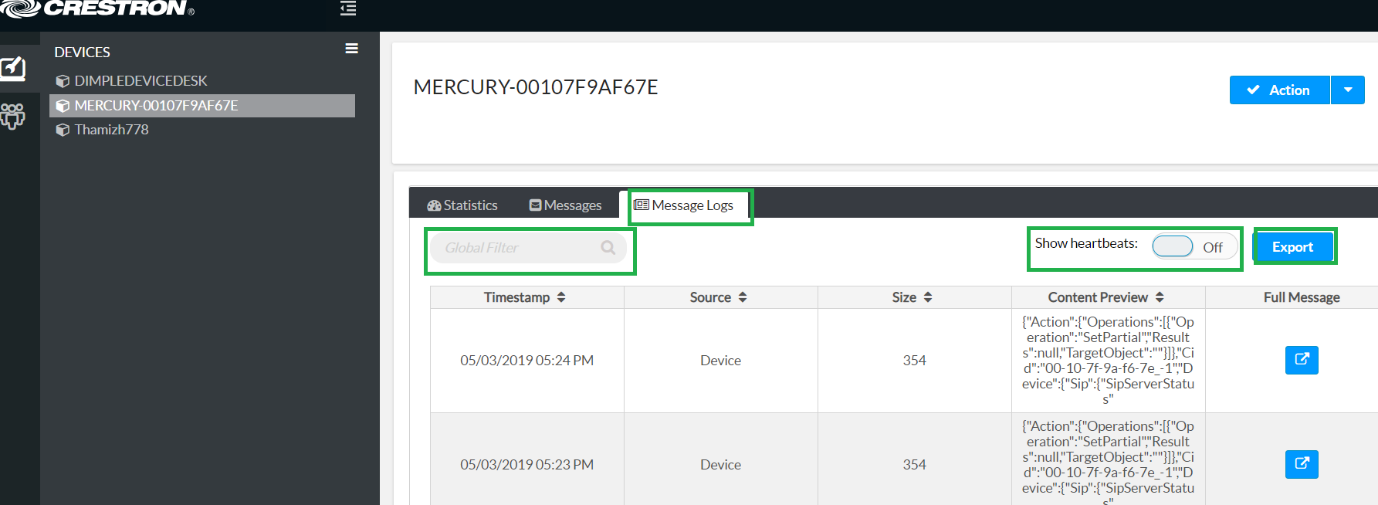
The Message Logs tab includes a table that shows the timestamp, source, size, and content preview for each message log. The following search and filter options are also provided:
- Enter text in the Global Filter text field to show only message logs that include that text
- Toggle the Show heartbeats button to show or hide heartbeat message logs
- Select Export to export all message logs for a device.
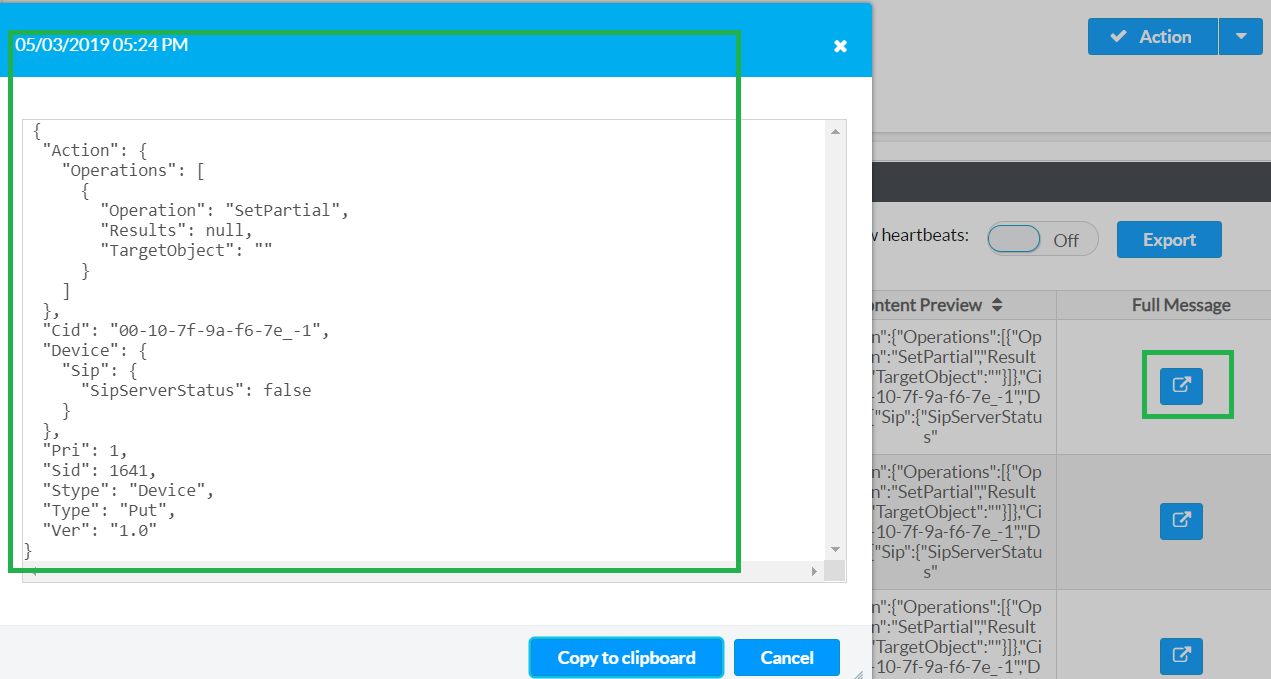
To full the full contents of a message log, click the Full Message icon for that message log. The message log contents open in a new window.
Full Message Log Window