Send Messages
Messages can be sent to devices through the partner portal.
To access the messaging function:
- Select a device from the DEVICES list.
- Select the Messages tab in the device settings pane.
Messages Tab
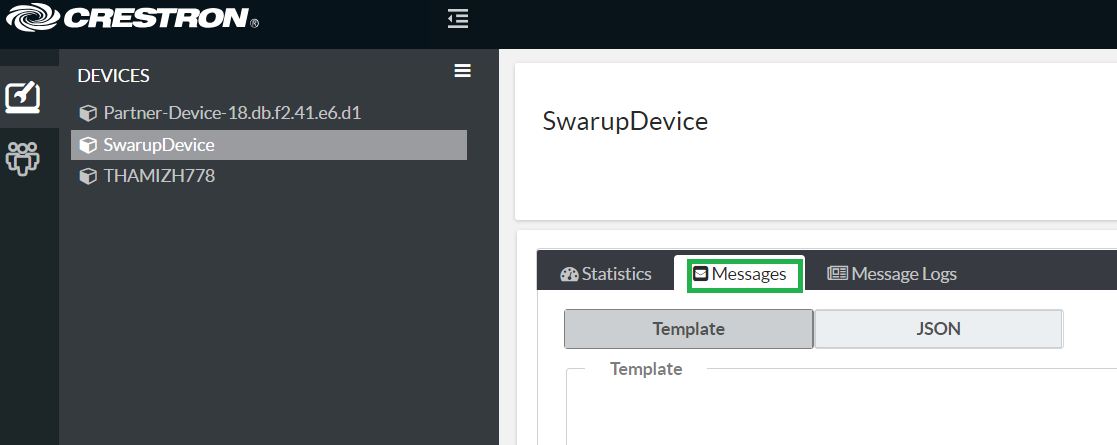
Messages can be sent either in template or JSON form.
Send a Template Message
To send a message to the device using a template:
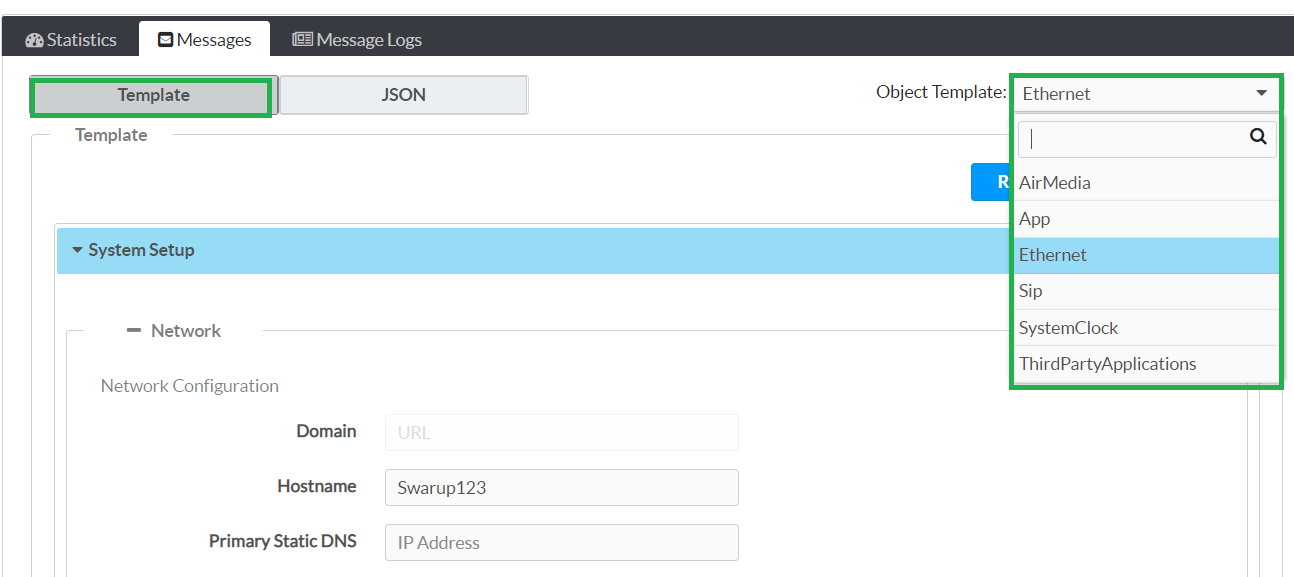
- Select Template under the Messages tab.
- Use the Object Template dropdown menu to select the appropriate message type (for example, select Ethernet to send Ethernet-related messages to the device.)
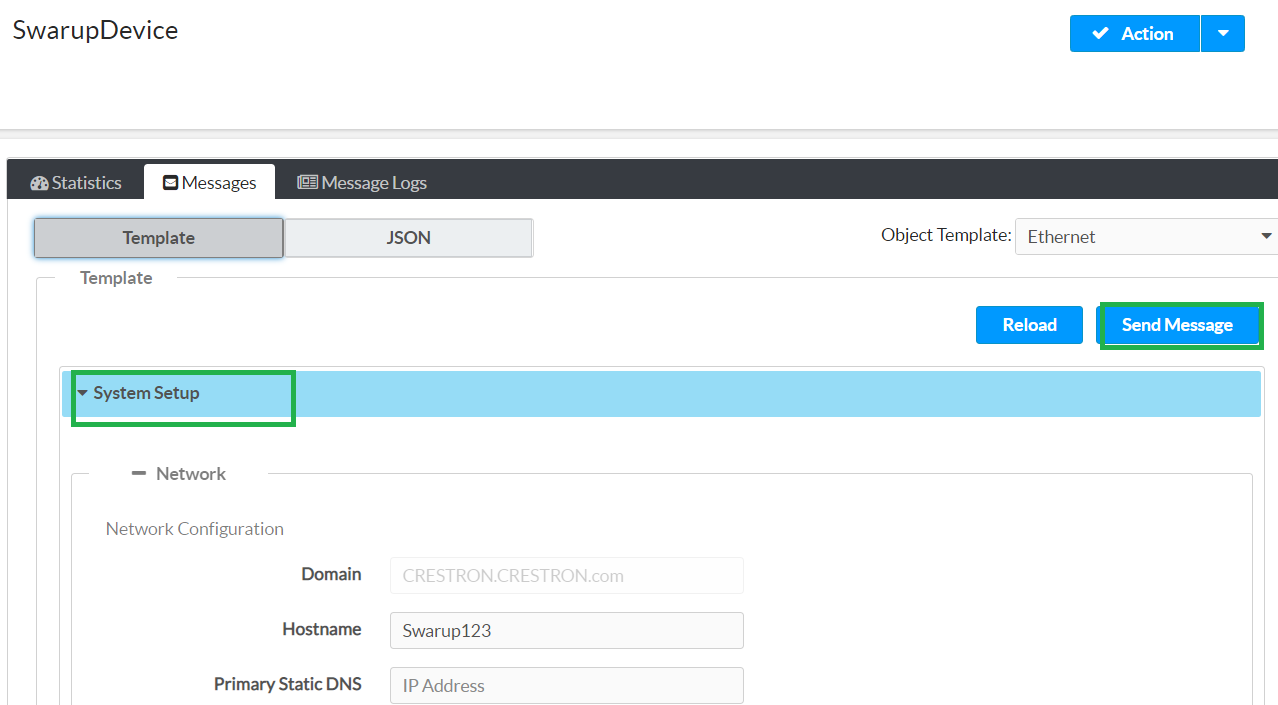
- Edit the provided settings in the chosen object template as necessary.
- Select Send Message to send the message to the device.
Messages Tab - Template Selection
Messages Tab - Send Template Message
Send a JSON Message
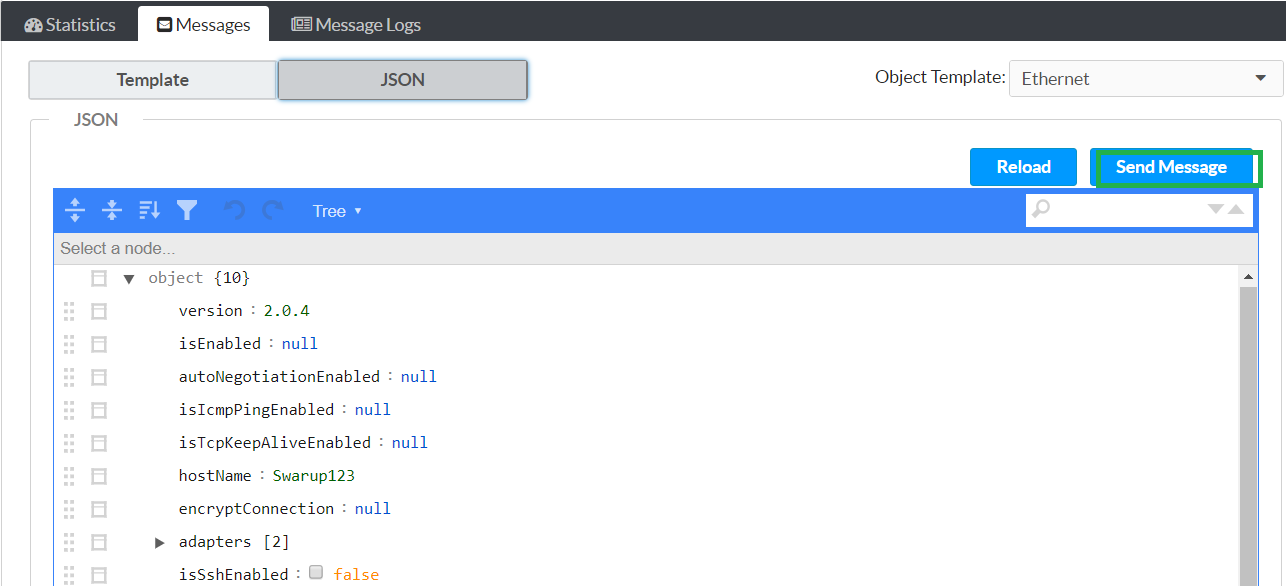
To send a message to the device using JSON:
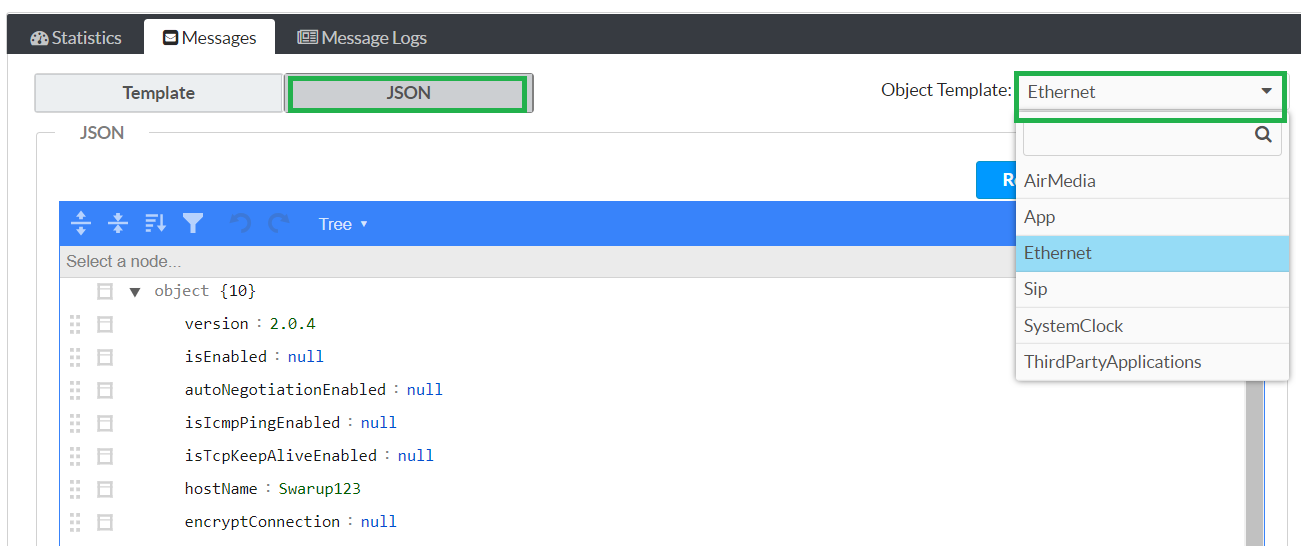
- Select JSON under the Messages tab.
- Use the Object Template dropdown menu to select the appropriate message type (for example, select Ethernet to send Ethernet-related messages to the device.)
- Edit the provided JSON in the chosen object template as necessary.
- Select Send Message to send the message to the device.
Messages Tab - JSON Selection
Messages Tab - Send Template Message