View Statistics
Once a device has been claimed by the cloud, statistics can be viewed from the partner portal.
To view device statistics:
- Select a device from the DEVICES list.
- Select the Statistics tab in the device settings pane.
Statistics Tab
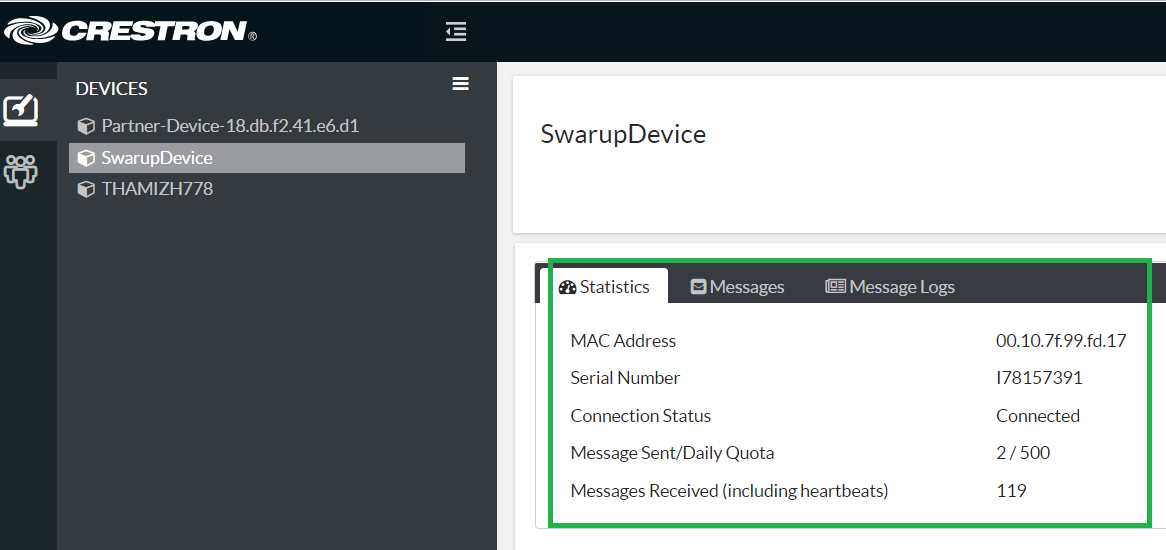
The Statistics tab contains the following information:
- MAC Address: The device MAC address
- Serial Number: The device serial number
- Connection Status: The status of the cloud connection
- Message Sent/Daily Quota: The number of message sent by the device and the maximum number of messages allowed within a 24-hour period
- Messages Received (including heartbeats): The number of messages received by the device including heartbeats